


Once you start researching how to build a mobile app, the terminology gets messy quickly.
React Native and Flutter might be described as native, cross-platform, or hybrid depending on who's talking.
A WebView can power one screen inside an otherwise native app, or most of the customer experience.
A PWA can run in a browser, sit on a home screen, work offline, send notifications, and even appear in some app stores.
So, if you’re trying to figure out the best way to build your app, rather than getting too attached to the label, it helps to look at what each approach means in practice. The right choice depends on what you're building, how users need to access it, and what your team wants to maintain.
Native, Web, Cross-Platform, and Hybrid Apps at a Glance
Let's start with a quick comparison of the four approaches to app development.
| Approach | How it is built | How users access it | Main advantage | Main tradeoff |
|---|---|---|---|---|
| Web app or PWA | Web technologies such as HTML, CSS, and JavaScript | A URL; an installable PWA can also sit on the home screen | Broad reach from one web codebase | Browser and platform support shape the available features |
| Platform-specific native app | Apple or Android tools and languages | App Store or Google Play | Deepest platform control | Separate platform work and a dedicated mobile product to maintain |
| Cross-platform native app | A shared framework such as React Native or Flutter | App Store or Google Play | More code reuse with a custom app interface | Still requires mobile specialists, platform testing, and store releases |
| Hybrid or WebView app | Web content inside a native shell, often with native plugins or components | App Store or Google Play | Reuses web technology and existing functionality | Quality depends on the web experience and the native integration around it |
These are starting points, not hard boundaries. Many real products mix them and combine elements from different app development routes.
What Is a Web App?
A web app is software that runs through a browser.
It can be as simple as an interactive form or as complex as an ecommerce store, project-management tool, banking portal, or streaming service.
Users reach it through a URL, so it works across devices without an app-store download.
Web apps are built with web technologies and normally share one deployed codebase. That makes them easy to distribute and update. Publish a change to the server, and users get the new version the next time they load it.
The browser is both the strength and limitation. It gives the web app enormous reach, but the experience and available APIs depend on the device and browser.
Where Progressive Web Apps Fit Into This
A Progressive Web App, or PWA, is a web app enhanced with capabilities such as installation, offline behavior, a standalone window, and push notifications where the browser supports them.
PWAs don't sit halfway between “a website” and “a real app” in a technical sense. They are web apps that progressively use more device and operating-system capabilities.
Support varies. On iOS and iPadOS, Home Screen web apps have supported Web Push since version 16.4. Other capabilities, installation prompts, background behavior, and device APIs still differ across Safari, Chromium-based browsers, and other platforms.
PWAs are a strong fit when reach, linkability, search discovery, and one web codebase matter most. We covered the more detailed tradeoffs in our article on PWAs versus native apps.
What Is a Platform-Specific Native App?
A platform-specific native app is built with the tools and languages of its operating system.
For Apple platforms, that usually means Swift or Objective-C with frameworks such as SwiftUI or UIKit. Android apps commonly use Kotlin or Java with Android's native SDKs.
This approach gives developers the most direct control over:
- Platform interface components and interaction patterns
- Device APIs and background services
- Local storage and offline workflows
- Graphics, animation, and intensive processing
- New operating-system features as they become available
The cost isn't simply “writing everything twice,” but there is more platform-specific work. Teams need to design, build, test, release, and maintain the experience across both ecosystems.
Even when the product logic is shared at the backend, the mobile clients have their own lifecycle.
Platform-specific development makes sense when mobile is your core product, and you need deep control over the experience.
Think games, camera-first tools, complex location products, Bluetooth-connected hardware, or offline field applications.
It can also make sense for larger teams that deliberately want distinct iOS and Android experiences. For a web-first business recreating what their website does already (like an ecommerce site), building separate native apps often creates more work than what the business needs.
What Is a Cross-Platform Native App?
Cross-platform frameworks let developers share code across iOS and Android while shipping installed apps through the stores.
Two widely used examples are:
- React Native, which uses React and maps its components to native platform UI.
- Flutter, which uses Dart and a shared rendering system to build natively compiled multi-platform apps.
They are not “write once and forget both platforms.” Teams still need platform-specific configuration, testing, permissions, store packaging, and sometimes custom native code.
React Native's own documentation includes tools for platform-specific files, and Flutter supports platform channels when an app needs native SDK access.
The payoff is that more interface and application logic can live in one shared project. This can be a sensible middle route when you need a custom mobile product but don't want two largely independent applications.
Choose cross-platform native when:
- The mobile interface needs to be built from scratch.
- Shared code across iOS and Android will materially reduce duplicate work.
- Your team has experience with the framework or can support it long term.
- The required native features are available through the framework, packages, or manageable custom modules.
In most cases, today, cross-platform is a better approach than fully separate native apps, unless you really need the highest level of performance and customization for each OS.
What Is a Hybrid App?
A hybrid app combines web technology with native elements.
The usual model is a WebView that renders HTML, CSS, and JavaScript inside an iOS or Android app. A native runtime or plugin layer connects that web experience to app features such as push notifications, camera access, deep links, files, location, and sharing.
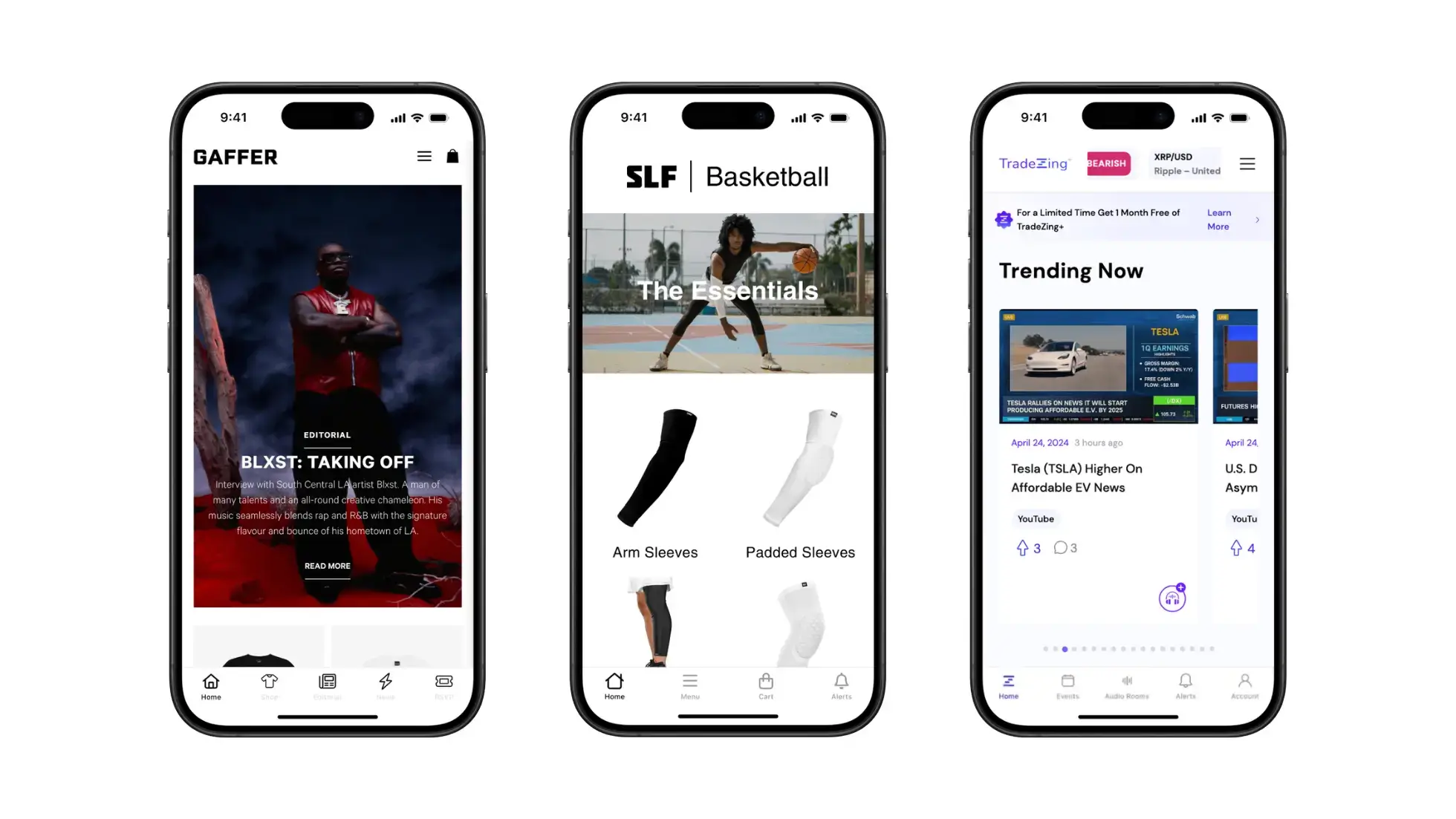
Capacitor describes this as a “native runtime for web apps”. Ionic provides interface components and uses Capacitor or Cordova to deploy web-based applications as native packages.
“Hybrid” can describe several architectures:
- A web application bundled inside the app
- A live website loaded inside a native shell
- A mainly native app that uses WebViews for selected screens
- A web-first app with custom native screens where needed
That range explains why blanket statements about hybrid quality don't help much. A basic wrapper and a carefully engineered web-native app may use related technology, but they can deliver completely different experiences.
What Hybrid Apps Do Well
Hybrid development is useful when you want to reuse code, functionality or design you’ve already built for the web.
It lets a team:
- Share more code across web, iOS, and Android
- Use existing web-development skills
- Reuse a live website, account system, or ecommerce storefront
- Ship web-content changes without rebuilding the mobile interface
- Add native features through plugins or custom bridges
This is what makes hybrid apps such a great approach for ecommerce, as there are fewer clear boundaries between what a website and a mobile app should do. The core experience on both is the same: letting customers browse, add to cart and check out.
Where Hybrid Apps Need Care
With a hybrid app, the web layer still has to perform well on mobile.
Slow pages, weak responsive design, and browser-specific edge cases don't disappear inside a WebView. If there are issues with your website, those issues will persist into the app.
Native plugins and bridges also introduce their own maintenance and security work. Teams must test navigation, authentication, external links, payments, permissions, offline states, and new operating-system releases inside the actual app.
Apple's review rules are another consideration. Guideline 4.2 says apps should offer features, content, and UI beyond a repackaged website.
A hybrid architecture is fine, but the finished product still needs enough utility and app-specific quality to belong in the app store.
How to Choose an App-Development Approach
If you’re trying to figure out the right way to build your app, start with the product, not the framework.
Here are some questions to ask yourself, or to brainstorm with your team.
1. Do We Already Have a Strong Website?
If the main product already works well on the web, ask how much value comes from rebuilding it.
A hybrid or WebView route may preserve years of work in your content system, ecommerce platform, customer accounts, checkout, and integrations.
A native or cross-platform rebuild gives you more control, but it also creates another product surface to keep in sync.
2. How Different Does the App Need to Be?
If the mobile app needs an interface and workflow that are fundamentally different from your website, a custom native or cross-platform app is usually the cleaner choice.
If most screens should show the same products, content, bookings, or account tools, web reuse becomes more attractive.
3. Which Device Features Are Central?
Ask yourself, how deeply do native features like the camera or location features factor into the user experience?
A hybrid app can access many native APIs through plugins or custom bridges. But if the product depends on advanced camera controls, continuous background location, Bluetooth hardware, NFC, augmented reality, or heavy local processing, native development offers more direct control.
4. Do We Need Offline Functionality?
Offline support has to be designed in every architecture.
A native app can store extensive local data, but it doesn't automatically work offline. A PWA can cache resources and selected content, but live inventory, payments, and other server-dependent actions still need a connection.
Define the exact offline tasks you need, and then see if a specific technical approach fits your goals better.
5. Who Will Maintain It?
The launch is only the start.
Consider who will handle operating-system updates, app-store releases, framework upgrades, plugin compatibility, security, QA, analytics, and feature parity.
The best architecture is one your team can operate without every change becoming a special project.
Which Option Fits Which Project?
Choose a Web App or PWA When
- You need broad reach through a URL.
- Search traffic and linkability are important.
- One responsive experience can serve the main use case.
- You want to validate the product before investing in app-store distribution.
Choose Platform-Specific Native When
- Mobile is the product.
- Performance, advanced hardware access, or offline behavior is central.
- Platform-specific design and new OS features matter enough to justify separate work.
- You have the mobile team and budget to maintain it.
Choose Cross-Platform Native When
- You need a custom app but want to share more code across iOS and Android.
- Your requirements fit the framework and available libraries.
- The team can still handle platform-specific testing and integrations.
Choose Hybrid or WebView When
- You already have a web app, content platform, or ecommerce store worth reusing.
- The main experience is web-friendly.
- Keeping the website and app aligned matters more than rebuilding every screen.
- Native features can be handled through the app shell, plugins, or a limited amount of custom code.
How MobiLoud Helps You Launch Low-Effort, High-Upside Mobile Apps
MobiLoud is a managed service helping established online brands launch mobile apps.
It’s a hybrid development approach, which lets you reuse what you’ve already built on the web. But, as we said, these “native”, “hybrid” etc labels are not strictly defined.
With MobiLoud, you get the best parts of your website, with the best parts of a native app. Native navigation UI, custom pages and screens in the app, and push notifications.
You can launch a custom mobile app, clearly differentiated from your website, as streetwear brand Cold Culture did.
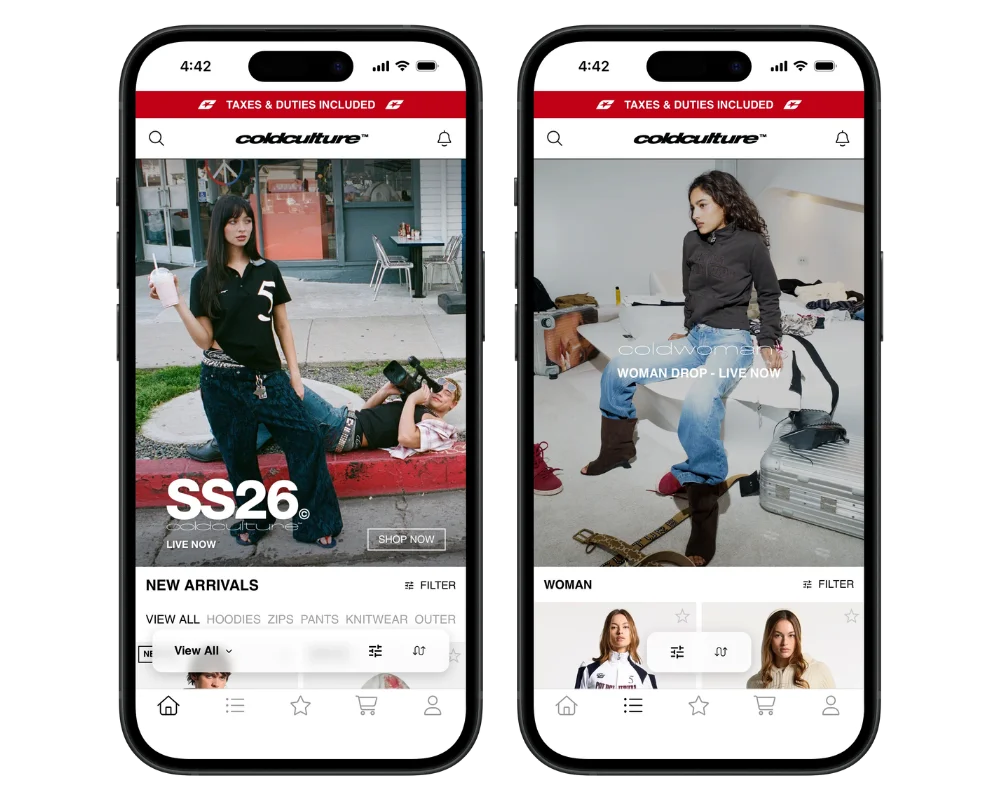
But you can choose as much or as little customization as you need. If all you really need is the core experience from your website translated to a mobile app, MobiLoud does that for you, while eliminating virtually all duplicate work you’d get from building a standalone mobile app.
If you're deciding whether that model fits your store, book a consultation to talk through how your website works, the mobile experience you want, and whether or not MobiLoud is the best way to get there.
The Bottom Line
Web apps maximize reach. Platform-specific native apps maximize platform control. Cross-platform frameworks help teams build a custom app with more shared code. Hybrid apps reuse web technology inside an installed native package.
All can be great ways to power a successful product.
Most of the hard choices sit between those labels. Work out what the app must do, what you've already built, how much mobile-specific control you need, and who will maintain it.
Once those answers are clear, the technology choice gets much less mysterious.


